Image and Logo
Give your receipts a professional look by adding your company logo, a product image, or any custom visual — just drop in a URL. You can even print multiple images on the same receipt, swap your logo dynamically, or display a promotional banner and coupon code that change with every order.
<IMG>https://your-domain.com/logo.png</IMG>
⚠️ HTTP URLs are not accepted. The image must be served over SSL (
https://).
Image requirements
| Property | Accepted values |
|---|---|
| Format | .JPG .GIF .PNG |
| Resolution | 72 dpi |
| Color mode | RGB |
| Colors | Flat black on white background |
| Transparency (alpha) | ❌ Not supported |
| Recommended file size | 5 KB – 15 KB |
Dimensions by paper width
| Paper width | Image width |
|---|---|
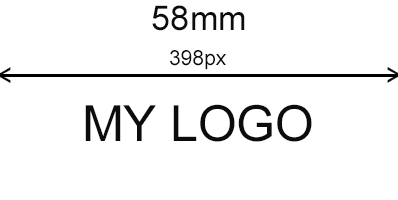
| 58 mm | 398 px |
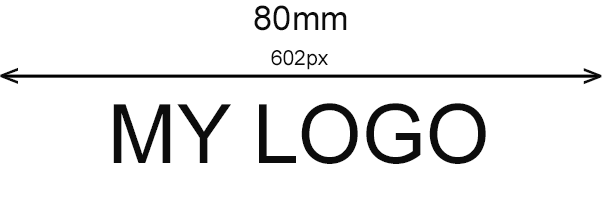
| 80 mm | 602 px |
| 104 mm | 1002 px |
⚠️ Some image types are not supported by all ESC/POS printer models and may block the entire print request. Always test with and without images before deploying to production.
Graphic mode — 58/80mm thermal printers
If you're using the Cloud Print Box, configure the image printing mode in the console under Printers → Select printer.
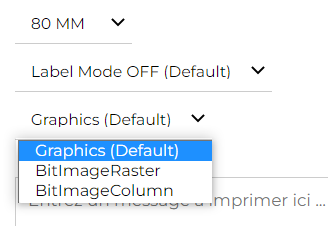
| Mode | Notes |
|---|---|
Graphics |
✅ Default — works for most printers |
BitImageRaster |
Use if Graphics produces incorrect output |
BitImageColumn |
Alternative fallback for older models |
Example print request
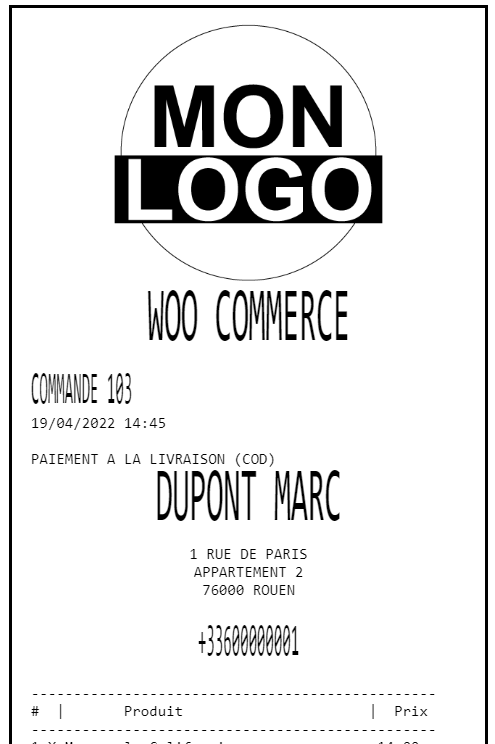
Centering an image
The <IMG> tag does not apply text alignment — centering must be built into the image file itself.
Leave equal white margins on both sides of your logo or motif, sized to match the target paper width.
Checklist before printing
- Image is served over HTTPS
- Format is
.JPG,.GIFor.PNG - Width matches the target paper size (398 / 602 / 1002 px)
- Colors are flat black on white — no transparency
- File size is between 5 KB and 15 KB
- Graphic mode is correctly set in the console (Cloud Print Box users only)
- Tested on target printer model before production use