Send a test print request
Quickly verify that your printer is online and properly configured by sending a test print, directly from the console or via the API sandbox, in just a few clicks.
✅ Compatible with Expedy cloud printers (WooCommerce, PrestaShop, Shopify, API...) and the Cloud Print Box USB adapter.
Via the Expedy console
Log in to the Expedy console
No login details yet? Open a support ticket
Go to Printers
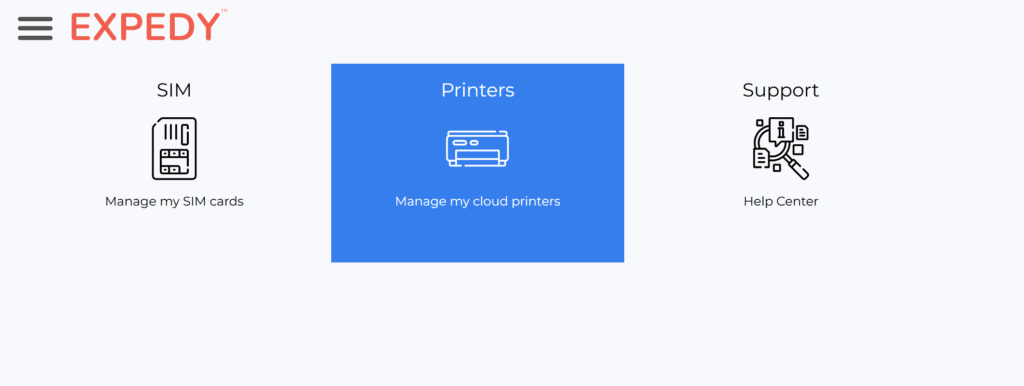
Select your printer
Go to Print Jobs History
Write a new message, or copy and paste any of the last 10 requests from the history
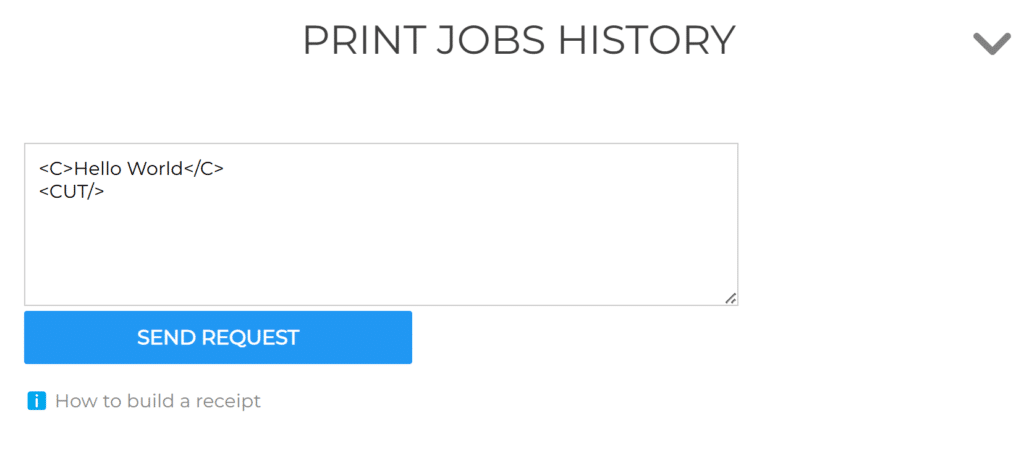
- Click Send Request. The job will print in under 2 seconds
❌ Nothing printed? Check the device's internet connection: network cable or 4G SIM card.
Via the API sandbox
You can also trigger a test print directly from the API sandbox without writing any code. Useful for developers integrating the API or troubleshooting a live setup.